
Laravel vs WordPress: When to Choose Which?
Choosing between Laravel vs WordPress is one of the most common (and important) decisions businesses and developers face in 2026.
Both are built on PHP. Both power thousands of modern websites. But they are fundamentally different tools built for different purposes.
If you choose the wrong one, you may face:
- Scalability problems
- Performance bottlenecks
- Security risks
- Higher long-term costs
- Development limitations
In this detailed guide, we'll break down:
- What Laravel and WordPress actually are
- Core differences
- Performance comparison
- Security analysis
- SEO capabilities
- Cost comparison
- Scalability
- Real-world use cases
- When to choose which
If you're looking for professional web development solutions, you can explore my work.
Let's start with the basics.
What Is WordPress?
WordPress is a Content Management System (CMS) that allows users to create websites without deep coding knowledge.
It powers over 40% of the internet, making it the most widely used CMS in the world.
Key Features of WordPress:
- Easy installation
- Admin dashboard
- Thousands of themes
- 60,000+ plugins
- WooCommerce for eCommerce
- Blogging-friendly architecture
WordPress is ideal for:
- Blogs
- Small business websites
- Portfolio sites
- Marketing landing pages
- Small to medium eCommerce stores
Because it's plugin-driven, non-developers can launch websites quickly.
However, heavy plugin dependency can create performance and security issues if not managed properly.
You can review official documentation here:
👉 WordPress official documentation
What Is Laravel?
Laravel is a PHP web application framework used to build fully custom web applications.
Unlike WordPress, Laravel is not a CMS. It provides a development structure (MVC architecture) that allows developers to build complex systems from scratch.
Key Features of Laravel:
- MVC architecture
- Artisan CLI
- Blade templating engine
- Eloquent ORM
- Built-in authentication
- API support
- Queue systems
- Advanced routing
Laravel is ideal for:
- SaaS platforms
- Enterprise systems
- CRM systems
- Custom dashboards
- Marketplaces
- Fintech platforms
- Complex applications
If you want to see examples of structured, custom builds, check out!
Laravel offers unlimited flexibility but requires development expertise.
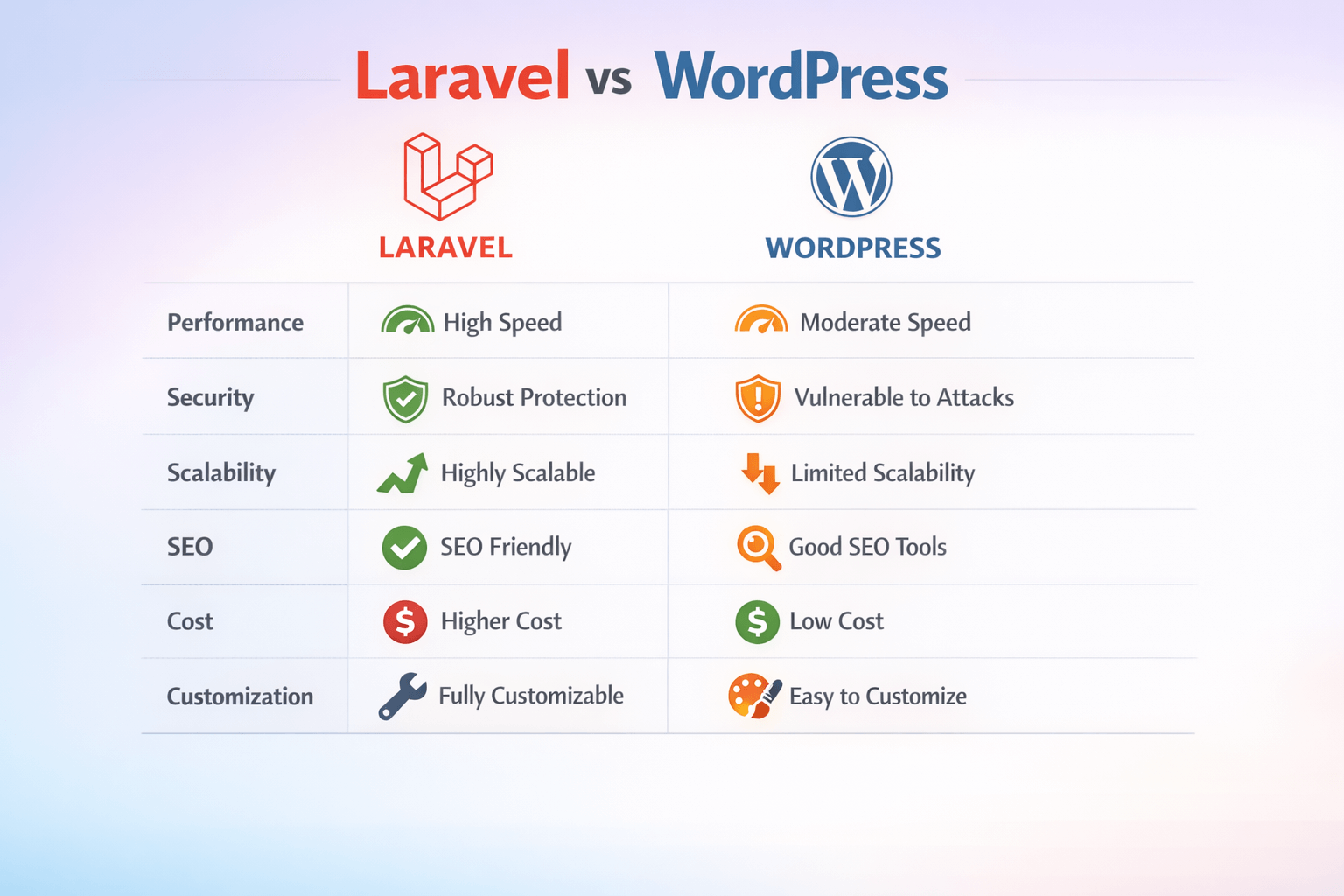
Laravel vs WordPress: Core Differences Overview
| Feature | WordPress | Laravel |
|---|---|---|
| Type | CMS | Framework |
| Coding Required | Minimal | Advanced |
| Customization | Plugin-based | Fully custom |
| Performance | Depends on plugins | Optimized if built properly |
| Security | Plugin-dependent | Built-in protections |
| Scalability | Limited for large apps | Highly scalable |
| Development Time | Faster for basic sites | Longer |
| SEO Tools | Plugins available | Custom implementation |
| Best For | Content-driven sites | Custom web applications |
The main takeaway:
- WordPress = Pre-built structure
- Laravel = Build your own structure
Ease of Use & Learning Curve
WordPress
WordPress is beginner-friendly.
You can:
- Install themes
- Add plugins
- Publish blog posts
- Manage pages
- Edit menus
All without writing code.
For small businesses, this simplicity is powerful.
Laravel
Laravel requires:
- PHP knowledge
- MVC understanding
- Database management
- Deployment skills
It's not beginner-friendly. It's developer-oriented.
If you need something quick and manageable without coding, WordPress wins here.
If you need total control and scalability, Laravel is superior.
Customization & Flexibility
This is where the difference becomes clearer.
WordPress Customization
WordPress customization depends on:
- Themes
- Plugins
- Page builders
While flexible, you are limited by plugin compatibility and theme structure.
Complex workflows often require custom coding anyway.
Laravel Customization
Laravel has no structural limitation.
You can:
- Build custom user roles
- Create advanced dashboards
- Build multi-tenant SaaS systems
- Integrate APIs deeply
- Create custom workflows
Laravel is ideal for businesses with unique requirements.
Performance & Speed Comparison
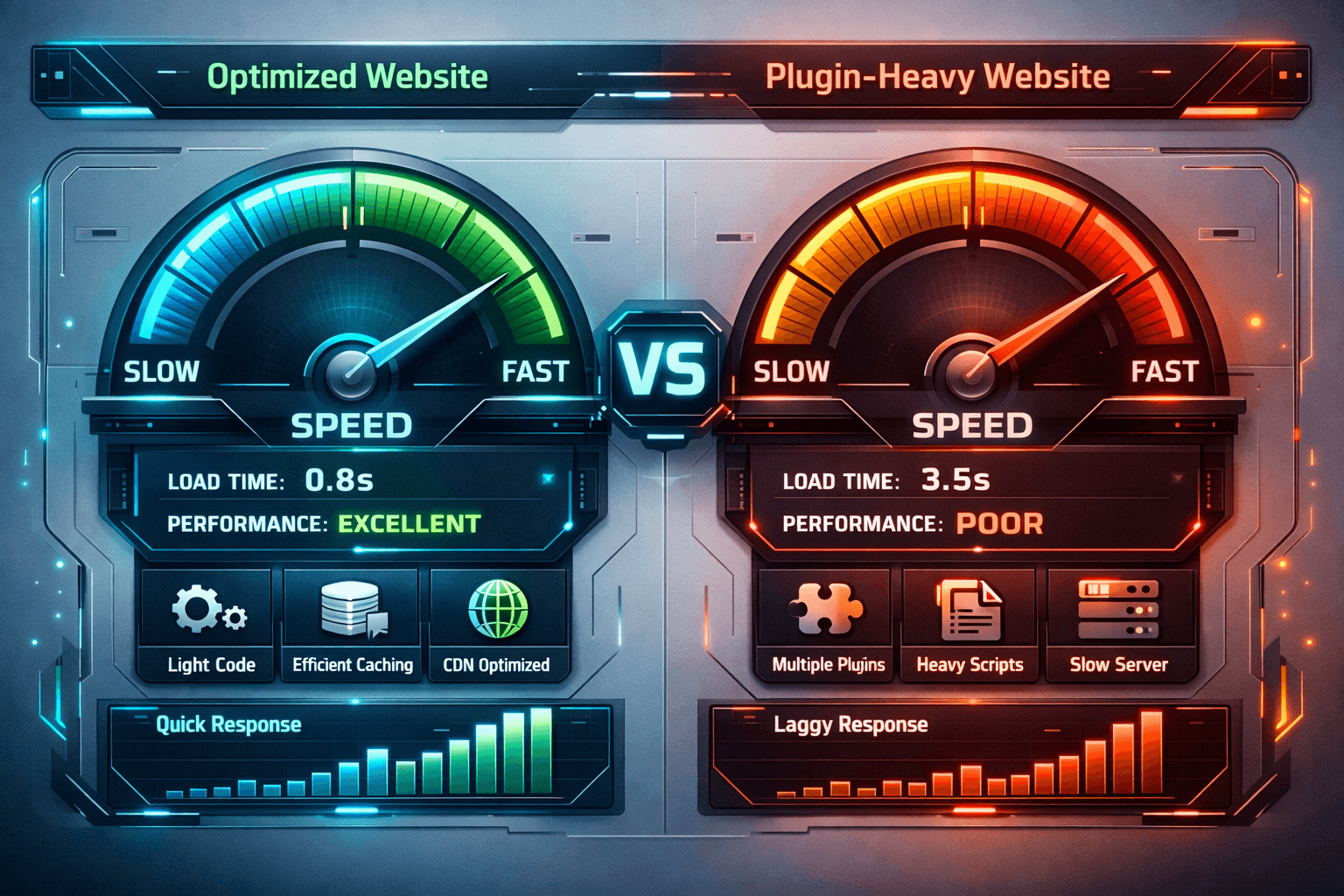
Speed affects rankings and conversions.
You can test performance using:
👉 Google PageSpeed Insights
WordPress Performance
WordPress can become slow due to:
- Heavy plugins
- Poor hosting
- Bloated themes
- Large media files
Optimization is possible, but requires:
- Caching plugins
- CDN
- Image compression
- Technical adjustments
Laravel Performance
Laravel apps are:
- Leaner
- Custom-coded
- Database optimized
- Better structured
If built correctly, Laravel apps outperform most WordPress sites.
However, poorly coded Laravel apps can also be slow.

Security Comparison
Security is critical in 2026.
WordPress Security
Common issues:
- Plugin vulnerabilities
- Outdated themes
- Third-party scripts
- Admin brute force attacks
WordPress itself is secure but plugins often create risks.
Laravel Security
Laravel includes:
- CSRF protection
- Password hashing
- Authentication scaffolding
- SQL injection protection
- XSS protection
Security best practices align with:
👉 OWASP Top 10 security risks
Laravel is generally safer for enterprise applications.
SEO Capabilities
SEO matters regardless of platform.
WordPress SEO
WordPress is SEO-friendly because of:
- Yoast SEO
- Rank Math
- Easy meta management
- Schema plugins
- Sitemap generation
For content-driven sites, WordPress is strong.
Laravel SEO
Laravel allows:
- Custom meta implementation
- Custom schema
- Clean URL structures
- Full control of technical SEO
However, SEO must be built manually.
If your strategy focuses heavily on content marketing, WordPress is easier.
If you need deep technical SEO control, Laravel gives more flexibility.
You can learn more about my SEO-focused development approach.
Scalability & Growth
WordPress Scalability
WordPress can handle traffic with:
- Good hosting
- Caching
- CDN
However, very large applications struggle due to:
- Database structure
- Plugin limitations
- Heavy backend operations
Laravel Scalability
Laravel is built for scaling.
You can:
- Use queue workers
- Implement caching layers
- Separate services
- Scale horizontally
- Use cloud-based architecture
For SaaS, fintech, marketplaces, Laravel wins.
Cost Comparison
WordPress Cost
- Hosting: Low to medium
- Themes: $0-$100
- Plugins: $0-$300 annually
- Developer cost: Lower for basic sites
Long-term costs increase if you need heavy customization.
Laravel Cost
- Development: Higher initial cost
- Hosting: Medium to high
- Maintenance: Developer required
However, long-term scaling may be cheaper because you avoid plugin stacking.
If you're unsure which fits your budget, you can:
👉 Discuss your project requirements
When to Choose WordPress
Choose WordPress if you need:
- Blog
- Marketing website
- Company website
- Portfolio
- Basic eCommerce store
- Fast launch
- Lower budget solution
- Content-heavy SEO site
WordPress is perfect for small to medium businesses.
When to Choose Laravel
Choose Laravel if you need:
- SaaS platform
- CRM system
- Marketplace
- Multi-user dashboard
- Advanced membership system
- Custom workflow automation
- API-driven system
- Enterprise-grade security
- High scalability
Laravel is ideal for tech-driven startups and scaling companies.
Pros and Cons Summary
WordPress Pros
- Easy to use
- Fast setup
- Huge plugin ecosystem
- Lower initial cost
WordPress Cons
- Plugin dependency
- Security risks
- Limited complex customization
- Scalability constraints
Laravel Pros
- Unlimited customization
- Better scalability
- Strong security
- Ideal for large systems
Laravel Cons
- Higher cost
- Requires developers
- Longer development time

Final Verdict: Which One Should You Choose?
There is no universal winner in Laravel vs WordPress.
It depends on your goals.
If your website is primarily:
- Informational
- Content-focused
- Marketing-driven
→ Choose WordPress.
If your project requires:
- Complex logic
- Custom workflows
- High scalability
- Secure data handling
→ Choose Laravel.
For business owners, the smartest approach is to align your platform choice with long-term growth strategy.


