
How Good UI/UX Can Double Your Website Conversion Rate
Getting traffic to your website is only half the battle.
If visitors land on your site but don't take action buy, sign up, book a call, or submit a form your design is costing you money.
The truth is simple: good UI/UX directly impacts your conversion rate.
In fact, strategic UI/UX improvements can realistically double conversions without increasing traffic.
And with modern design evolution discussed in these modern website design trends
👉 Top 20 Website Design Trends for 2026
businesses that prioritize user experience consistently outperform competitors.
In this guide, you'll learn:
- What conversion rate really means
- The difference between UI and UX
- The psychology behind user decisions
- Core design elements that increase conversions
- Advanced CRO strategies
- Testing frameworks
- Real-world optimization examples
Let's break it down.
What Is Conversion Rate (And Why It Matters More Than Traffic)
Conversion rate is the percentage of visitors who complete a desired action.
Formula:
Conversion Rate = (Conversions ÷ Total Visitors) × 100
Example:
If 1000 people visit your site and 30 make a purchase → 3% conversion rate.
Now imagine increasing that to 6%.
That's double the revenue without spending more on ads.
There are two types of conversions:
- Macro conversions (sales, bookings, purchases)
- Micro conversions (newsletter signups, downloads, clicks)
While traffic is important, optimization determines profitability.
UI vs UX: What's the Difference?
Many people confuse UI and UX.
UI (User Interface)
UI focuses on the visual side:
- Colors
- Typography
- Buttons
- Layout
- Imagery
- Icons
It's how your website looks.
UX (User Experience)
UX focuses on how your website works:
- Navigation flow
- Ease of use
- User journey
- Emotional comfort
- Friction reduction
UI attracts attention.
UX turns attention into action.
Together, they create a seamless conversion experience.
The Psychology Behind Conversions
Good UX works because it aligns with human psychology.
Here are key psychological principles that influence conversions:
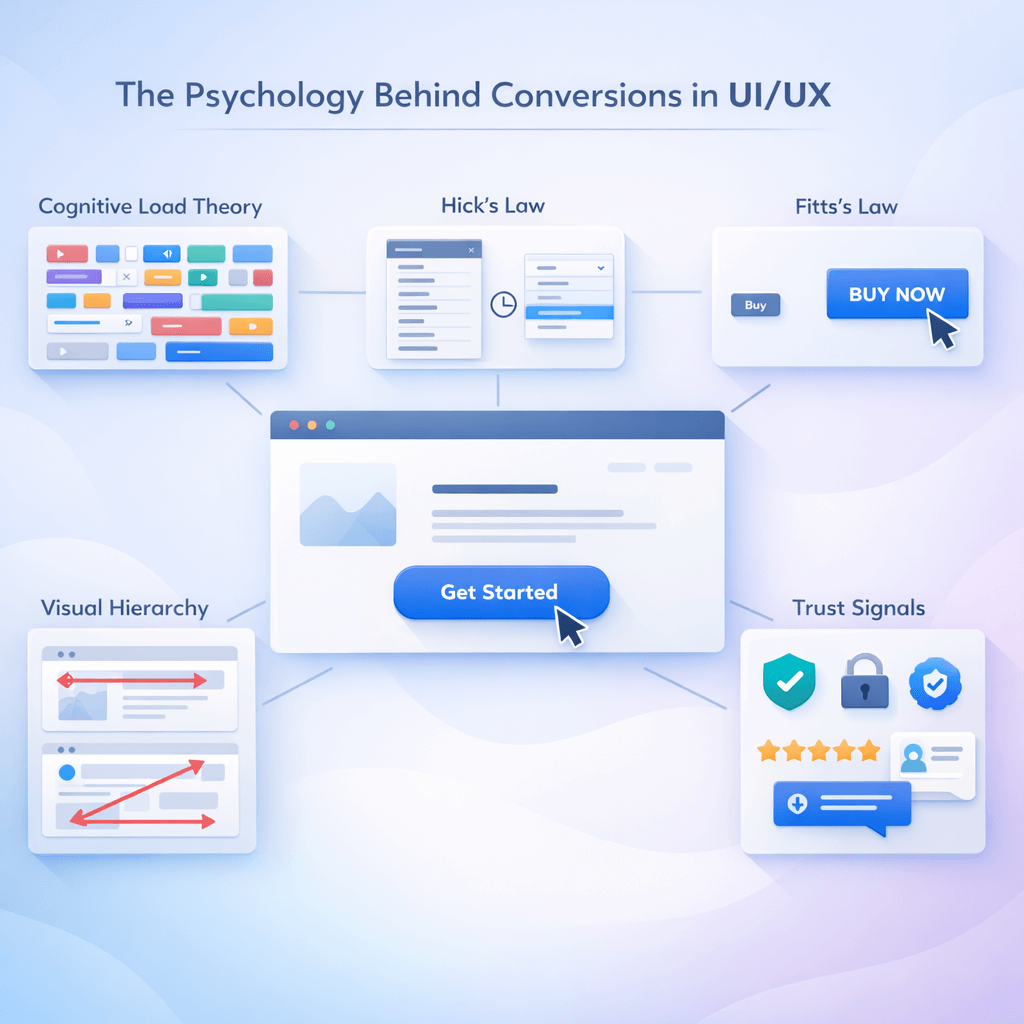
1. Cognitive Load Theory
Too many choices overwhelm users. Simplified design improves decision-making.
2. Hick's Law
The more options you give, the longer users take to decide often leading to abandonment.
3. Fitts's Law
The easier a button is to click (size + placement), the higher the interaction rate.
4. Visual Hierarchy
Users scan in predictable patterns (F-pattern & Z-pattern). Proper layout guides attention.
5. Trust Signals
Users need reassurance before taking action.
Research from Nielsen Norman Group shows that usability directly influences trust perception.
Strong UX reduces friction.
Reduced friction increases conversions.
How Poor UI/UX Kills Conversions
Even small UX mistakes can destroy performance.
Common issues include:
- Slow loading speed
- Cluttered layout
- Weak or hidden CTAs
- Confusing navigation
- Poor mobile optimization
- Lack of trust elements
Performance guidelines from Google Web.dev emphasize that slow websites increase bounce rates dramatically.
If users struggle to understand your site in the first 5 seconds, they leave.
Core UI/UX Elements That Increase Conversion Rates
1. Clear Visual Hierarchy
Your website should immediately answer:
- What is this?
- Who is it for?
- What should I do next?
Best practices:
- Strong headline above the fold
- Clear CTA button
- Supporting subheading
- Clean section divisions
- Strategic white space
Users should never “guess” what to click.
2. Mobile-First Design
More than half of website traffic is mobile.
Mobile UX must include:
- Thumb-friendly buttons
- Easy scrolling
- Clear font sizes
- Simplified menus
- Fast load speed
Responsive design is no longer optional, it's essential.
3. Page Speed Optimization
Loading speed directly impacts revenue.
Key improvements:
- Compress images
- Use lightweight animations
- Reduce script bloat
- Optimize hosting
- Monitor Core Web Vitals
Even a 1-second delay can reduce conversions significantly.
4. CTA Optimization & Button Design
Your CTA is your conversion engine.
High-performing CTAs:
- Use action-oriented text
- Stand out visually
- Appear multiple times strategically
- Reduce ambiguity
Instead of “Submit,” use:
- Get My Free Quote
- Start My Project
- Book a Free Strategy Call
Subtle wording changes often increase conversions by 20–30%.
5. Trust & Credibility Signals
Users don't convert if they don't trust you.
Add:
- Testimonials
- Reviews
- Case studies
- Security badges
- Clear contact information
You can see real design projects and case studies.
Social proof reduces hesitation and increases perceived authority.
6. Navigation Simplicity
Confused users don't convert.
Your navigation should:
- Be minimal
- Clearly categorized
- Avoid dropdown overload
- Include a visible search option
The simpler the path, the higher the completion rate.
Advanced UI/UX Strategies to Double Conversions

1. Landing Page Optimization
Landing pages must focus on one goal.
Structure:
- Clear headline
- Benefit-driven copy
- Social proof
- Visual clarity
- Strong CTA
Avoid unnecessary links that distract users.
2. Personalization & Behavioral Targeting
Personalized UX increases engagement.
Examples:
- Dynamic content based on location
- Returning visitor recognition
- Behavior-based recommendations
Modern personalization aligns with evolving UX trends mentioned in 2026 design evolution strategies.
3. Micro-Interactions
Micro-interactions increase engagement.
Examples:
- Button hover animations
- Progress bars
- Real-time form validation
- Subtle transitions
These elements make the experience feel intuitive and responsive.
4. Reducing Friction in Forms
Long forms kill conversions.
Improve form UX by:
- Asking fewer questions
- Using multi-step layouts
- Enabling autofill
- Clear error messaging
- Guest checkout options
The easier it is to complete, the more users will finish.
UX Testing & Conversion Rate Optimization (CRO)
Improvement requires testing.
Key Methods:
- A/B testing
- Heatmaps
- Session recordings
- Funnel analysis
- User surveys
Tools like HubSpot publish extensive research on conversion rate optimization strategies.
Continuous iteration is the secret to doubling conversions.
Data Metrics That Measure UX Success
Track these metrics:
- Conversion rate
- Bounce rate
- Time on page
- Scroll depth
- Click-through rate
- Exit rate
- Funnel abandonment rate
UX is not guesswork, it's measurable.
Real-World Example: How UX Doubled Conversions
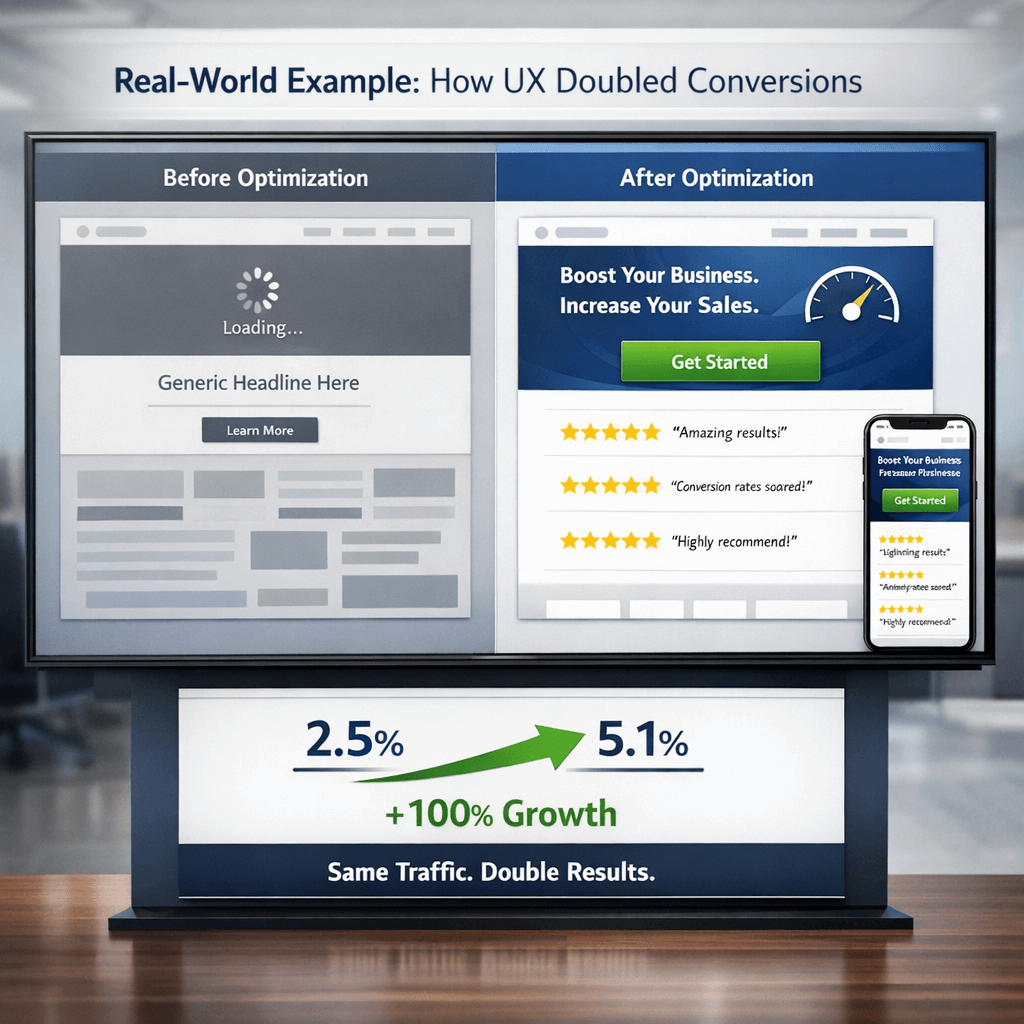
Before optimization:
- Slow homepage
- Generic headline
- Weak CTA
- Cluttered layout
- No social proof
After optimization:
- Clear value proposition
- Faster loading speed
- Simplified navigation
- Prominent CTA
- Testimonials added
- Mobile improvements
Result:
Conversion rate increased from 2.5% to 5.1%.
Same traffic. Double results.
If you want to improve your website conversion strategy, you can request a consultation.
Final Thoughts
Good UI/UX is not just about aesthetics.
It's about:
- Clarity
- Simplicity
- Psychology
- Trust
- Performance
- Continuous testing
When implemented correctly, UX improvements can double your conversion rate without increasing traffic.
In today's competitive digital environment, investing in UI/UX is one of the highest ROI decisions a business can make.
Ready to turn visitors into customers?
Let’s optimize your website for higher conversions.
👉 Book a strategy consultation today.


